I have many reasons to consider myself a lucky person. Today, I focus on the fact that I can work with professionals who motivate me. I have colleagues who have become my friends and inspire me to be better every day, even in circumstances where we have not met physically for almost ten months. One such person is Susanna Potter, a fantastic Middle School science teacher, colleague, friend, and occasional neighbor. In this post, I will address, among other topics, a recent planning process that we had around a unit and its assessment.
In our school, and I imagine in other schools too, it takes a lot of effort and consistency to implement work structures that eventually become habits and standardized processes. Generally, these structures vary over time due to many factors: the need for adjustments, schedule changes, rotation of specialist staff, new principals, new school administrators, a pandemic, to name a few.
In the last five years at ISP, I have assumed four different roles, seen three directors’ administrations, adjusted to a different schedule each year in Middle School, and more. We are even getting ready for the possibility of adopting yet another plan for hybrid teaching in a few months. Maintaining collaborative planning structures that support inclusion processes, English as a second language students, differentiation, technology integration, etc., is challenging, especially when the learning curve for online teaching took so long and so much energy from everyone. However, we are doing much better now.
Recently, in Middle School, a group of teachers has met to establish agreements around different topics, like these:
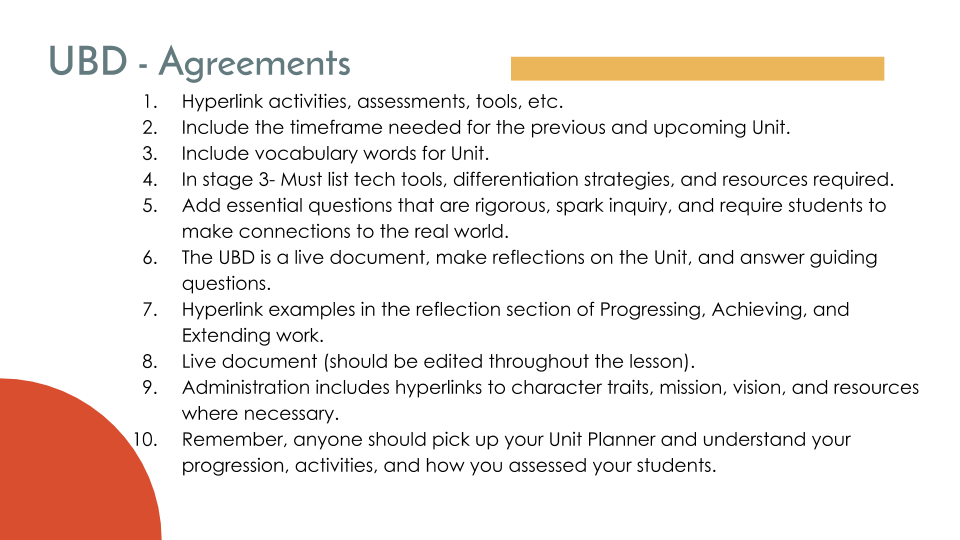
After reviewing our rubrics and reaching agreements related to Standards-Based Grading (SBG), we have devoted time to our unit planning template.
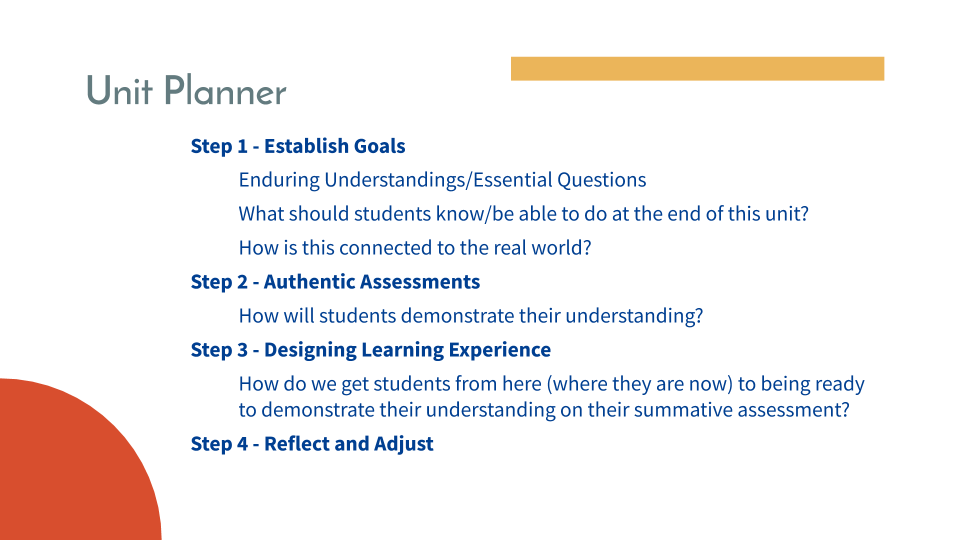
The creation of institutional paradigms of the organizational culture is based on a mission, a vision. The answer to why we do what we do is known. As a group, we have established points that answer those questions.
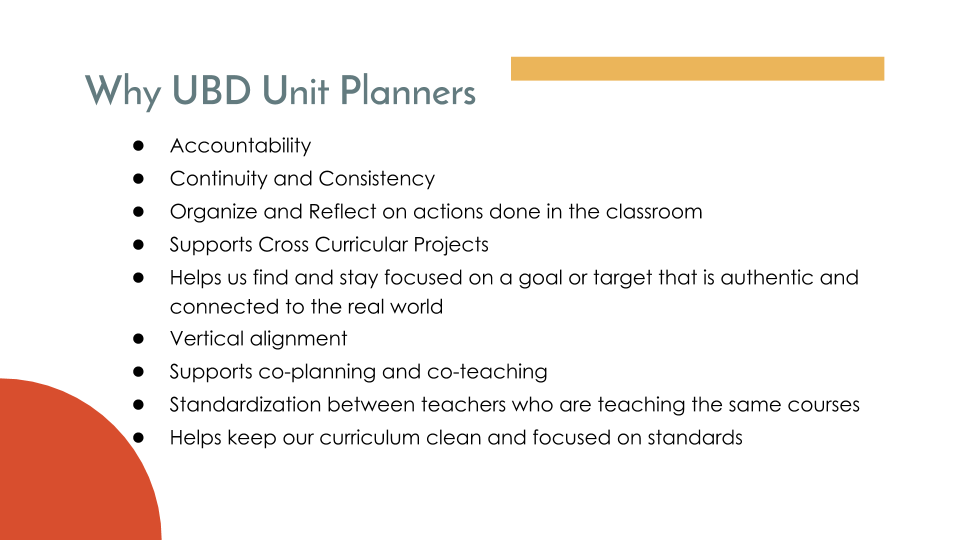
Despite these advances, there are still areas for improvement, such as better template design and a more formal technology integration framework, as shown in the Eduro A.P.L.E. planning template, which has an established space for the ISTE standards. Even without a designated area for ISTE standards on the unit planner template, these are evident in learning experiences. In reality, teachers manage to expose students to them even when neither party is aware that they are doing so.
Now, how do we make this a reality? Let’s look at a real-life example.
The science department, the instructional coach, and I recently met to review a unit’s planning and assessment.
You can check the unit planner here → Unit Planner: Matter & Its Interactions (SY20-21)
To be more specific, let’s use the summative Performance Assessment.
It started as a Google Doc → Unit 2: Matter Assessment.
In Middle School, we have begun attending weekly professional development sessions on Universal Design for Learning (UDL).
Following the Universal Design for Learning Guidelines, focusing on the Action & Expression layer, we looked for some tech tips and tools to make assessments more accessible, engaging, and meaningful.
When creating assessments, as a tech integrator, I want to help teachers identify which tech tools to use and how to:
- Improve the navigation, wayfinding and UI of their assessment
- Add discrete scaffolds like sentence starters, visual graphics, translation, or text to speech tools.
- Provide multiple ways for students to share their understanding through voice, text, pictures, video, etc.
With all of this in mind, we started refining the performance assessment.
- In the beginning, we were trying to decide if it was better to keep the assessment as it was in a Google Doc or if it was a good idea to change it to Google Slides. Google Slides was the best option because it is easy to create models in it, which the students needed to do. It can also be presented in a more visually engaging way.
- We not only reworded some questions but also added keywords and decided to include sentence starters.
- We wanted to offer more ways for students to present their work than only a written answer. Including more options usually represents more work and preparation for the teacher. If we offer a tool as an option and the students are not familiar with it, teachers need to frontload with training on the tool. Choosing Google Slides helps with this too. In this case, we decided to offer students the opportunity to upload a picture, video, or voice recording. We can link tutorial videos in the slide where they need to provide evidence of their understanding. We thought about separate tools like Flipgrid, but to keep teachers sane when grading, it is easier if the students upload their pieces of evidence directly into the assessment slide deck.
- When offering PD to our staff, I have talked about a tool called Talk and Comment: Voice notes anywhere. This extension is convenient when providing feedback within Google Slides and Google Docs, especially on long essays that require lengthy explanations that are better understood when spoken. But besides that, it works to add audio to our slides for students who struggle when reading or prefer to listen, or to read and listen. It takes whatever you record and puts it as a comment in your Google Doc or Slides.
The results after our co-planning meeting and Susanna’s final adjustments:
- The assessment was created with Google Slides instead of a Google Doc. Here is the whole Assessment Slide Deck.
- “I can” statements used (NGSS).
- A video on the first slide explaining the whole assessment slide deck.
- Symbols on slides.
- Videos explaining the icons. Example: the microphone one.
- Hyperlinked tasks and a color-coded index.
- Rubrics.
- Options for response methods.
- Audio instructions.
- Self-assessment.
- An extension challenge.
There are many other things that I am not mentioning here that cover many of the Universal Design for Learning Guidelines. There are ISTE standards that are covered, even unconsciously:
- 1c: Students use technology to seek feedback that informs and improves their practice and to demonstrate their learning in a variety of ways…
- 1d: Students understand the fundamental concepts of technology operations, demonstrate the ability to choose, use, and troubleshoot current technologies, and are able to transfer their knowledge to explore emerging technologies.
- 4c: Students develop, test, and refine prototypes as part of a cyclical design process.
- 6a: Students choose the appropriate platforms and tools for meeting the desired objectives of their creation or communication.
- 6c: Students communicate complex ideas clearly and effectively by creating or using a variety of digital objects such as visualizations, models, or simulations.
There is a lot of fantastic work that teachers like Susanna are doing when putting together digital learning experiences like this one. Is there room for improvement? Yes. We could make these projects interdisciplinary and connected to the real world, and collaborate with communities outside the school community while solving real-world problems.
But teachers are doing a phenomenal job, and I’m appreciative of that.
First published on my COETAIL blog on 10 December 2020, lightly edited for this site. Some of its images are not included here. Read the archived original.